Thursday, June 11, 2026

Custom Data Entities not visible in UDE after deployment

 I experienced the same problem as explained here https://community.dynamics.com/forums/thread/details/?threadid=1b8af6ce-8502-f111-8406-7c1e525b1dbf

After some check it turned out that my new custom data entities have been added with label references instead of their actual text values (in English). This seems to be the culprit. 

I cannot see my DEs in the list after refreshing it. And even when I added them manually no fields mappings were generated.

Once I manually changes their values in ENTITYNAME, they appeared after refreshing and I was able to generate field mappings.

So, if you have similar issues, connect to your UDE SQL DB, check the names.

SELECT DE.* FROM dbo.DMFENTITY AS DE

WHERE de.targetentity like 'YourCustomTableEntity'

And fix it by a simple command.

update DMFENTITY
set entityname = 'My custom table entity'
WHERE targetentity like 'YourCustomTableEntity'

Monday, July 7, 2025

Packing Sets, Maps, Lists, etc. in D365FO: Why con2str can break your code

While working on what seemed like a routine task in Dynamics 365 Finance and Operations, I encountered an unexpected issue Specified cast is not valid when passing a Set as a parameter to a method. 


Here's what happened.

I had a simple and logical flow:

1. Pack a set or a list into a container with standard pack method.


2. Convert this container into a string with con2str global function.


3. Pass it to my function as an argument. (not depicted)

4. Convert this string back to a container via str2con.


5. Create a new set from the restored container via set create method.

Everything worked fine—until step 5.

Instead of a smooth reconstruction of the Set, I ran into an error. The root cause? The str2con() function. By default, str2con() interprets numeric values as Int64 (long integers). This silent type coercion corrupted the data structure expected by Set.create(), which led to the failure.


To avoid this issue altogether, do not use str2con() to restore containers that will be used for object reconstruction (like sets, maps, etc.). Instead, use:

  • con2base64str() to serialize the container

  • base64str2con() to safely deserialize it

These Global functions preserve the data types and internal structure of the container without any implicit type conversions.

Monday, May 12, 2025

Consuming External Web Services in D365FO


Enhancing Dynamics 365 Finance and Operations with Real-Time External Data

Integrating external web services into Dynamics 365 Finance and Operations (D365FO) can greatly enhance functionality, allowing for the use of real-time data from various sources. In this article, we will demonstrate how to consume an external web service in X++ using a practical example: retrieving currency exchange rates from a publicly available API.


💡 Use Case: Currency Conversion in the Sales Order Form

We aim to build a class that fetches the exchange rate between two currencies. The chosen API for this example is ExchangeRate-API, which provides conversion rates between multiple currencies as well as many other services.

Our specific implementation will:

  • Integrate into the Sales order form
  • Add a new button labeled "Show price in USD" (we assume that the company currency is USD)
  • Display both the conversion rate and the price in USD via infolog
  • Convert prices from Sales order currency to USD in real-time

Additionally, we'll leverage existing D365FO tables (Regulatory Service EMWebApplication and EMWebService) to securely store connection parameters and API keys. This approach promotes reuse and simplifies maintenance of external service configurations.

📌 Pro Tip: Although these tables are part of the Electronic Messaging (EM) functionality mainly intended for regulatory reporting, they can also be conveniently utilized for storing external web service configurations.


📋 Prerequisites

  • D365FO environment with development access
  • Access to a publicly available API (e.g., ExchangeRate-API)
  • API key for authentication: you can get it for free on the API web site

Implementation Guide

Step 1: Storing Connection Information

D365FO provides the EMWebApplication and EMWebService tables within the Regulatory Service module to manage external service connections. These tables allow you to store connection parameters securely.

  1. Add records for your application (e.g., 'wzhExchangeRateAPI')
  2. Create service records (e.g., 'wzhCurrencyPairConversion')
  3. Store the base URL and request method in these tables

Understanding the table structure:

  • Web Application table: Stores main connection information, such as base URL and general settings

  • Web Service table: Stores different API endpoints under the same application (like methods for Pair Conversion and Latest Rates)

Step 2: API response class wzhExchangeRateResponseDC

Create a new class named wzhExchangeRateResponseDC. This class contains methods to receive the API response.

// to be used as a response from wzhExchangeRateServiceConvert
[DataContract]
public class wzhExchangeRateResponseDC
{
    str         result;
    real        rate;

    [DataMember("result")]
    public str parmResult(str _result = result)
    {
        result = _result;
        return result;
    }

    [DataMember("conversion_rate")]
    public real parmRate(real _rate = rate)
    {
        rate = _rate;
        return rate;
    }

}

Step 3: Main logic class wzhExchangeRateService

Create a new class named wzhExchangeRateService. This class contains methods to initialize the service, retrieve conversion rates, and display the converted price. The class is designed to be triggered from a button click in the Sales order form. The construct method initializes the service object and sets the sales line parameter.

/// <summary>
/// Consumes external Web service for currency conversions
/// </summary>
class wzhExchangeRateService
{
    SalesLine salesLine;
    // to be run from a button
    static void main(Args _args)
    {
        SalesLine salesLine = _args.record();

        wzhExchangeRateService service = wzhExchangeRateService::construct(salesLine);
        service.run();
    }

    public SalesLine parmSalesLine(SalesLine _salesLine = salesLine)
    {
        salesLine = _salesLine;
        return salesLine;
    }

    static private wzhExchangeRateService construct(SalesLine _salesLine)
    {
        wzhExchangeRateService service = new wzhExchangeRateService();
        
        service.parmSalesLine(_salesLine);

        return  service;
    }

    public void run()
    {
        CurrencyCode currencyFrom   = salesline.CurrencyCode;
        CurrencyCode currencyTo     = Ledger::accountingCurrency();
        real rate = this.getConversionRate(currencyFrom, currencyTo);
        info(strFmt("Conversion rate from %1 to %2: %3", currencyFrom, currencyTo, rate));
        info(strFmt("Price in %1 is %2", currencyTo, salesLine.SalesPrice * rate));
    }

    /// <summary>
    /// Fetches the conversion rate between two given currencies.
    /// </summary>
    /// <param name="_currencyFrom">Base currency code (e.g., USD)</param>
    /// <param name="_currencyTo">Target currency code (e.g., EUR)</param>
    public real getConversionRate(CurrencyCode _currencyFrom, CurrencyCode _currencyTo)
    {
        // these constants can be saved in a separate parameters table
        const str                       appName     = 'wzhExchangeRateAPI';
        const str                       serviceId   = 'wzhCurrencyPairConversion';
        System.Net.HttpWebRequest       request;
        System.Net.HttpWebResponse      response;
        System.IO.StreamReader          reader;
        System.Net.WebHeaderCollection  httpHeader;
        str                             responseData, url, apiKey;
        EMWebApplication                webApp;
        EMWebService                    webService;
        container                       jsonContainer;
        Object                          jsonObject;
        Real                            conversionRate;
        System.String                   netString;
        System.Exception                netExcepn;
        str                             msg;
        str                             errMsg;
        wzhExchangeRateResponseDC       resp;

        try
        {
            // Step 1: Find the Web Application and Web Service records
            select firstonly webApp
                where webApp.Name == appName;

            if (!webApp.RecId)
            {
                throw error("Web application for currency conversions not found.");
            }

            select firstonly webService
                where webService.WebApplication == webApp.RecId
                   && webService.WebServiceId == serviceId;

            if (!webService.RecId)
            {
                throw error("Web Service for currency conversion rates not found.");
            }

            // Step 2: Retrieve the API key securely (from Azure Key Vault or encrypted table); check other methods getDigitalCertificate, getPrivateKey
            apiKey              = KeyVaultCertificateHelper::getManualSecretValue(webService.KeyVaultCertificateRef, false);
            apiKey              = '111914749114a4117ca989d2'; // for the test's sake

            // Step 3: Construct the API URL dynamically
            url                 = strFmt("%1/%2/%3/%4", webApp.BaseURL, webService.URL, _currencyFrom, _currencyTo);

            // Step 4: Create the HTTP request
            request             = System.Net.WebRequest::Create(url);
            request.Method      = webService.RequestMethod; // GET
            request.ContentType = webService.RequestContentType; // application/json
            httpHeader          = new System.Net.WebHeaderCollection();
            httpHeader.Add("Authorization", 'Bearer ' + apiKey); // security info
            request.set_Headers(httpHeader);

            // Step 5: Get the response
            response            = request.GetResponse();
            reader              = new System.IO.StreamReader(response.GetResponseStream());
            responseData        = reader.ReadToEnd();

            // Step 6: Parse the JSON response to a custom data contract bearing Success code and rate
            resp                = FormJsonSerializer::deserializeObject(classNum(wzhExchangeRateResponseDC), responseData);

            //if (resp && resp.parmResult() == webService.SuccessfulResponseCode) // this table success code is int and normally meant to be 200;
            if (resp && resp.parmResult() == webService.AdditionalSuccessfulResponseCodes) // but here we use this parameter as 'success'
            {
                conversionRate = resp.parmRate();
            }
            else
            {
                throw error("Error: Failed to parse the conversion rate.");
            }
        }
        catch (Exception::CLRError)
        {
            netExcepn   = CLRInterop::getLastException();

            if(netExcepn)
            {
                // something goes wrong with the service call
                // let's grab all details
                errMsg      = strFmt("Error: %1", netExcepn.InnerException.Message);
                msg         = strFmt("Failed to retrieve conversion rate %1->%2. \n%3", _currencyFrom, _currencyTo, errMsg);
            }
            throw error(strFmt("Error:%1", msg));
        }
        return conversionRate;
    }

}

Step 4: Fetch Conversion Rate

The core functionality lies in the getConversionRate method. It follows these steps:

  1. Finds the web application and service records using EMWebApplication and EMWebService tables
  2. Retrieves the API key securely, ideally using Azure Key Vault
  3. Constructs the URL dynamically based on input parameters
  4. Sends an HTTP request to the API and reads the response
  5. Parses the response using a custom data contract (wzhExchangeRateResponseDC)

🛡️ Handling Errors

The getConversionRate method includes robust error handling to manage connectivity issues or invalid API responses. Any errors are captured, and detailed messages are displayed to the user.


▶️ Running the Service

The run method prints the conversion rate and calculates the converted price based on the current sales line's currency and the accounting currency. This feature can be executed by clicking the "Show price in USD" button on the Sales order form.


🌟 Advantages of This Approach

  • Configuration-Driven: Uses Web Application and Web Service records instead of hardcoding URLs
  • Dynamic URL Construction: Retrieves settings directly from the D365FO database
  • Flexible: If the API URL changes, you only need to update the Web Application record
  • Efficient Management: The Web Application table holds the main connection information, while the Web Service table can manage multiple API endpoints under a single application

Final Thoughts

Consuming external web services in X++ allows D365FO to leverage real-time data from third-party sources. By using D365FO's existing EMWebApplication and EMWebService tables for storing connection data, we can enhance security and maintainability. Following this structured approach enables developers to integrate external services efficiently and securely.

Feel free to customize the class and extend its functionality according to your project requirements. Happy AXing!

Monday, December 30, 2024

Getting OnDelete value for Table metadata browser

 Thanks to Martin Drab's article New metadata API – Goshoom.NET Dev Blog, I refactored one method of my Table Metadata browser by using Microsoft.Dynamics.AX.Metadata.MetaModel API to loop through the list of table relations.

public static wzhRelatedTablesTmp populateRelatedTables(TableId _tableId, FieldId _fieldId)
    {
        wzhRelatedTablesTmp                     wzhRelatedTablesTmp;

        System.Collections.IEnumerable          relations;
        System.Collections.IEnumerator          enumRelations;
        System.Collections.IEnumerable          constraints;
        System.Collections.IEnumerator          enumConstraints;
        mtdModel.AxTableRelation                relation;
        mtdModel.AxTableRelationConstraint      constraint;
        mtdModel.AxTableRelationConstraintField constraintField;
        mtdModel.AxTable                        table;
        TableName                               relatedTableName    = tableId2Name(_tableId);
        FieldName                               relatedFieldName    = fieldId2Name(_tableId, _fieldId);
        System.Collections.IEnumerable          tables              = mtdSupport::GetAllTables();
        System.Collections.IEnumerator          enumTables          = tables.GetEnumerator();

        // Loop through all tables in the system
        while (enumTables.MoveNext())
        {
            table           = enumTables.Current as mtdModel.AxTable;
            relations       = mtdSupport::GetTableRelations(table.Name) as System.Collections.IEnumerable;
            enumRelations   = relations.GetEnumerator();
            
            while (enumRelations.moveNext())
            {
                relation = enumRelations.Current as  mtdModel.AxTableRelation;
               
                if (relation && relation.RelatedTable == relatedTableName)
                {
                    enumConstraints     = relation.Constraints.GetEnumerator();
                    while (enumConstraints.moveNext())
                    {
                        constraint = enumConstraints.Current as mtdModel.AxTableRelationConstraint;
                        if (constraint is mtdModel.AxTableRelationConstraintField)
                        {
                            constraintField = constraint as mtdModel.AxTableRelationConstraintField;
                            // Check if the relation is with a given table
                            if (constraintField && constraintField.RelatedField == relatedFieldName)
                            {
                                wzhRelatedTablesTmp.clear();
                                wzhRelatedTablesTmp.Id                         = tableName2Id(table.Name);
                                wzhRelatedTablesTmp.FieldName                  = constraintField.Field;
                                wzhRelatedTablesTmp.FieldId                    = fieldname2id(wzhRelatedTablesTmp.Id, constraintField.Field);
                                wzhRelatedTablesTmp.RelatedTableName           = table.Name;
                                wzhRelatedTablesTmp.Label                      = table.Label;
                                wzhRelatedTablesTmp.RelatedTablePName          = SysLabel::labelId2String(table.Label);
                                wzhRelatedTablesTmp.RelationName               = relation.Name;
                                wzhRelatedTablesTmp.Role                       = relation.Role;
                                wzhRelatedTablesTmp.RelatedTableRole           = relation.RelatedTableRole;
                                wzhRelatedTablesTmp.RelatedTableCardinality    = relation.RelatedTableCardinality;
                                wzhRelatedTablesTmp.IsEDTRelation              = relation.EDTRelation;
                                wzhRelatedTablesTmp.Cardinality                = relation.Cardinality;
                                wzhRelatedTablesTmp.RelationshipType           = relation.RelationshipType;
                                wzhRelatedTablesTmp.OnDeleteAction             = relation.OnDelete.ToString();
                                wzhRelatedTablesTmp.insert();
                            }
                        }
                    }
                }
            }
        }
        return wzhRelatedTablesTmp;
    }

Tuesday, December 24, 2024

Tables metada browser

 Following my previous article I add a simple form to browse tables metada, like, fields, relations, their attributes, etc.

It has the old good horizontal and vertical splitters to facilitate your browsing.


Filtering by attributes like System or Data entity lets rapidly find required subset of tables and fields.

Do not forget that each grid can be exported to Excel.


All data are saved in three InMemory temporary tables, and all the logic is implemented in one class wzhTableTools.


So, you can easily elaborate this solution if some other metada need to be exposed.

Challenge: I still cannot find how to get OnDelete action type for a relation. :(


Class

internal final class wzhTableTools
{
    public static wzhTablesTmp populateTables()
    {
        Dictionary      dict        = new Dictionary();
        int             numOfTables = dict.tableCnt();
        DictTable       dictTable;
        TableId         tableId;
        int             j;
        wzhTablesTmp    wzhTablesTmp;

        // Loop through all tables in the system
        for (j=1 ; j<= numOfTables; j++)
        {
            tableId                     = dict.tableCnt2Id(j);
            dictTable                   = dict.tableObject(tableId);

            wzhTablesTmp.clear();
            wzhTablesTmp.Id             = tableId;
            wzhTablesTmp.Name           = dictTable.name();
            wzhTablesTmp.IsTmp          = dictTable.isTmp();
            wzhTablesTmp.IsView         = dictTable.isView();
            wzhTablesTmp.PName          = dictTable.label();
            wzhTablesTmp.IsAbstract     = dictTable.isAbstract();
            wzhTablesTmp.IsDataEntity   = dictTable.isDataEntity();
            wzhTablesTmp.IsMap          = dictTable.isMap();
            wzhTablesTmp.IsTempDb       = dictTable.isTempDb();
            wzhTablesTmp.IsSystem       = dictTable.isSystemTable();
            wzhTablesTmp.IsSQL          = dictTable.isSql();

            wzhTablesTmp.insert();
        }

        return wzhTablesTmp;
    }

    public static wzhFieldsTmp populateFields(TableId _tableId)
    {
        Dictionary      dict        = new Dictionary();
        DictTable       dictTable   = dict.tableObject(_tableId);
        int             numOfFields = dictTable.fieldCnt();
        int             j;
        FieldId         fieldId;
        DictField       dictField;
        wzhFieldsTmp    wzhFieldsTmp;

        // Loop through all fields in the table
        for (j=1 ; j<= numOfFields; j++)
        {
            fieldId                 = dictTable.fieldCnt2Id(j);
            dictField               = dictTable.fieldObject(fieldId);

            wzhFieldsTmp.clear();
            wzhFieldsTmp.Id                     = fieldId;
            wzhFieldsTmp.Name                   = dictField.name();
            wzhFieldsTmp.Type                   = dictField.baseType();
            wzhFieldsTmp.EDT                    = extendedTypeId2name(dictField.typeId());
            wzhFieldsTmp.IsVisible              = dictField.visible();
            wzhFieldsTmp.IsMandatory            = dictField.mandatory();
            wzhFieldsTmp.IsAllowEdit            = dictField.allowEdit();
            wzhFieldsTmp.IsAllowEditOnCreate    = dictField.allowEditOnCreate();
            wzhFieldsTmp.EDTPName               = extendedTypeId2Pname(dictField.typeId());
            wzhFieldsTmp.PName                  = dictField.label();
            wzhFieldsTmp.IsSystem               = dictField.isSystem();
            wzhFieldsTmp.IsSQL                  = dictField.isSql();
            wzhFieldsTmp.insert();
        }
        return wzhFieldsTmp;
    }

    public static wzhRelatedTablesTmp populateRelatedTables(TableId _tableId, FieldId _fieldId)
    {
        Dictionary      dict        = new Dictionary();
        int             numOfTables = dict.tableCnt();
        DictTable       dictTable;
        DictRelation    dictRelation;
        TableId         tableId;
        int             i, j;
        int             linesCnt;
        int             relationLine;
        int             c;
        str             relName;
        wzhRelatedTablesTmp wzhRelatedTablesTmp;
        
        // Loop through all tables in the system
        for (j=1 ; j<= numOfTables; j++)
        {
            tableId         = dict.tableCnt2Id(j);
            dictTable       = dict.tableObject(tableId);
            dictRelation    = new DictRelation(tableId);
            
            // Loop through all table relations
            int relCount    = dictTable.relationCnt();

            for (i = 1; i <= relCount; i++)
            {
                relName = dictTable.relation(i);
                dictRelation.loadNameRelation(relName);
                
                if (dictRelation && dictRelation.externTable() == _tableId)
                {
                    linesCnt = dictRelation.lines();
                    for (relationLine=1; relationLine <= linesCnt; relationLine++)
                    {
                        // Check if the relation is with AMDeviceTable.DeviceId
                        if (dictRelation.lineExternTableValue(relationLine) == _fieldId)
                        {
                            c++;
                            wzhRelatedTablesTmp.clear();
                            wzhRelatedTablesTmp.Id                         = c;
                            wzhRelatedTablesTmp.FieldId                    = dictRelation.lineTableValue(relationLine);
                            wzhRelatedTablesTmp.RelatedTableName           = dictTable.name();
                            wzhRelatedTablesTmp.RelatedTablePName          = dictTable.label();
                            wzhRelatedTablesTmp.RelationName               = relName;
                            wzhRelatedTablesTmp.Role                       = dictRelation.Role();
                            wzhRelatedTablesTmp.RelatedTableRole           = dictRelation.RelatedTableRole();
                            wzhRelatedTablesTmp.RelatedTableCardinality    = dictRelation.RelatedTableCardinality();
                            wzhRelatedTablesTmp.IsEDTRelation              = dictRelation.EDTRelation();
                            wzhRelatedTablesTmp.Cardinality                = dictRelation.Cardinality();
                            wzhRelatedTablesTmp.RelationshipType           = dictRelation.relationshipType();
                            wzhRelatedTablesTmp.RelatedFieldName           = fieldId2Name(tableId, wzhRelatedTablesTmp.FieldId);
                            wzhRelatedTablesTmp.insert();
                        }
                    }
                }
            }
        }
        return wzhRelatedTablesTmp;
    }

}

Form

[Form]
public class wzhTables extends FormRun
{
    public void clearFields()
    {
        delete_from wzhFieldsTmp;
        delete_from wzhRelatedTablesTmp;
        wzhFieldsTmp_ds.research();
        wzhRelatedTablesTmp_ds.research();
    }

    public void clearRelatedTables()
    {
        delete_from wzhRelatedTablesTmp;
        wzhRelatedTablesTmp_ds.research();
    }

    public void populateTables()
    {
        wzhTablesTmp.setTmpData(wzhTableTools::populateTables());
        wzhTablesTmp_ds.research();
    }

    public void populateFields()
    {
        wzhFieldsTmp.setTmpData(wzhTableTools::populateFields(wzhTablesTmp.Id));
        wzhFieldsTmp_ds.research();
    }

    public void populateRelatedTables()
    {
        wzhRelatedTablesTmp.setTmpData(wzhTableTools::populateRelatedTables(wzhTablesTmp.Id, wzhFieldsTmp.Id));
        wzhRelatedTablesTmp_ds.research();
    }

    [DataSource]
    class wzhTablesTmp
    {
        public int active()
        {
            int ret;
    
            ret = super();
            element.clearFields();
            element.populateFields();
    
            return ret;
        }

        public void init()
        {
            super();
            element.populateTables();
        }

    }

    [DataSource]
    class wzhFieldsTmp
    {
        public int active()
        {
            int ret;
    
            ret = super();
            element.clearRelatedTables();
            element.populateRelatedTables();
    
            return ret;
        }

    }

}


Saturday, December 21, 2024

Find all tables with relations to a given field

 Sometimes we need to know which tables are related to a given table on a given field.


Unfortunately, none of AI generative tools I tried was able to provide me with a working code. So, I wrote this code manually based on Microsoft doc and some articles.

static void findAllTablesWithRelations(TableId _tableId, FieldId _fieldId)
    {
        Dictionary      dict = new Dictionary();
        DictTable       dictTable;
        DictRelation    dictRelation;
        TableId         tableId;
        int             i, j;
        int             linesCnt;
        int             relationLine;
        int             c;
        int             numOfTables = dict.tableCnt();
        boolean         relationFound;

        // Loop through all tables in the system
        for (j=1 ; j<= numOfTables; j++)
        {
            relationFound   = false;
            tableId         = dict.tableCnt2Id(j);
            dictTable       = dict.tableObject(tableId);
// Uncomment the following to get specific table types
            //if( dictTable.isAbstract() || 
            //    dictTable.isDataEntity() || 
            //    dictTable.isMap() || 
            //    dictTable.isTempDb() || 
            //    dictTable.isTmp() || 
            //    dictTable.isView())
            //{
            //    continue;
            //}

            dictRelation    = new DictRelation(tableId);
            str tableName   = dictTable.name();
            
            // Loop through all table relations
            int relCount = dictTable.relationCnt();
            //info(strFmt("Number of relations %1", relCount));

            for (i = 1; i <= relCount; i++)
            {
                str relName     = dictTable.relation(i);
                dictRelation.loadNameRelation(relName);
                
                if (dictRelation && dictRelation.externTable() == _tableId)
                {
                    linesCnt = dictRelation.lines();
                    for (relationLine=1; relationLine <= linesCnt; relationLine++)
                    {
                        // Check if the relation is with AMDeviceTable.DeviceId
                        if (dictRelation.lineExternTableValue(relationLine) == _fieldId)
                        {
                            c++;
                            info(strFmt("%1 : %2 : %3", c, dictTable.name(), fieldId2Name(tableId, dictRelation.lineTableValue(relationLine))));
                            relationFound = true;
                            break;
                        }
                    }
                }
                // just one relation is enough
                if(relationFound)
                {
                    break;
                }
            }
        }
    }

You can replace tableId and fieldId with your own values. For example, for GroupId table:

internal final class GetRelatedTables
{
    public static void main(Args _args)
    {
        TableId tableId = tableNum(SuppItemGroup);
        FieldId fieldId = fieldNum(SuppItemGroup, GroupId);

        info(strFmt("Searching related tables for %1.%2 ", tableId2Name(tableId), fieldId2Name(tableId, fieldId)));
        GetRelatedTables::findAllTablesWithRelations(tableId, fieldId);
        info('Search completed');
    }
}

The output:

Search completed

7 : AMInventItemTemplate : PurchInventSuppItemGroupId

6 : AMInventItemTemplateStaging : PurchInventSuppItemGroupId

5 : InventTableModule : SuppItemGroupId

4 : SuppItemTable : AccountCode

3 : VendTable : SuppItemGroupId

2 : RetailMassUpdateWorksheetLine : Purch_SuppItemGroupId

1 : CustTable : SuppItemGroupId

Searching related tables for SuppItemGroup.GroupId

Friday, August 30, 2024

Dual-write setup from Lifecycle Services fails at Application step

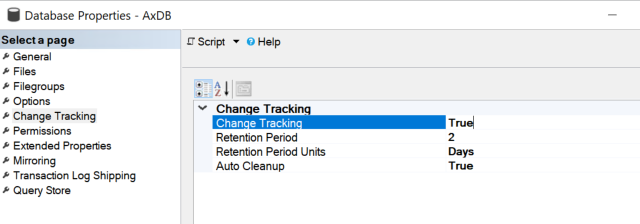
If you receive the issue with applying Dual-write for your D365FO environment following the standard procedure, you may need just to change one database parameter.


 Open SQL MS and switch this flip to True and keep default values for your database.


Now you can resume the process.

How to get back Import users button in D365FO


 You may start experiencing the following issue with button Import users.


It happens because Microsoft changed their approach to devboxes settings:

As of November 15, 2023, certificates in your Microsoft Entra tenant are no longer installed in new one-box development environments by default. 

You can find more detail on how to install a certificate in this article, but we can use a shortcut using 
D365fo.tools.

Here are the steps:
    

   1) Go to Azure portal and select app registration and create a new one (name the app to be the same as the environment name & leave settings at default) 

   2) The app registration needs to have the following: 

       a) 2 reply URLs > https://<fno-url> & https://<fno-url>/oauth 

       b) add the following API permissions to the App registration: 


Grant above permissions.

3) On the VM for the environment, open PowerShell 

   4) Run the following commands: 

        a) Install-Module D365fo.tools, and accept all the prompts 

        b) New-D365EntraIntegration -ClientId <client-id> (client-id is the app registration id that was created) 

   5) The above command will save a certificate, which then needs to be uploaded to the app registration that was created 


Monday, August 12, 2024

How to fix Admin account after refreshing data base in your dev box

 If you refresh your devbox database from another environment and need to set up its admin account to your user, you can do it by executing the following SQL command.


update USERINFO 
set NAME = 'Admin', 
    NETWORKDOMAIN ='https://sts.windows.net/', 
    NETWORKALIAS = 'a.voytsekhovskiy@mydomain.net', 
    ENABLE = 1, 
    SID = 'S-1-19-XXXXXXXXXX-XXXXXXXXXX-XXXXXXXXXX-XXXXXXXXXX-XXXXXXXXXX-XXXXXXXXXX-XXXXXXXXXX-XXXXXXXXXX-XXXXXXXXXX-XXXXXXXXXX', 
    IDENTITYPROVIDER ='https://sts.windows.net/'
where ID = 'ADMIN'

NB: use your own email address and SID.


Friday, June 21, 2024

Importing a bacpac file to a development box SQL

 Just to memorize some steps to import a database from a bacpac file.

  1. Download and run the DacFramework.msi installer for Windows
  2. Put the backup.bacpac file close to the SQL database, say, in the root folder on disk G:
  3. Run the bat file. 

@echo Importing a bacpac data to SQL database
c:
cd C:\Program Files\Microsoft SQL Server\160\DAC\bin
SqlPackage.exe /a:import /sf:G:\backup.bacpac /tsn:localhost /tdn:AxDB_Restored /p:CommandTimeout=1200 /TargetTrustServerCertificate:True
pause

Take note about the last option: without it importing fails with the following error.


Tuesday, February 20, 2024

Project intercompany invoice sales tax calculation bug in 10.0.37

 While Microsoft working on this issue, let me show you how you can fix it in the current code running on 10.0.37 or lower.

Scenario

When using the project intercompany customer invoice form in Project management and accounting module , you can create a customer invoice to bill to an intercompany customer. As the customer is intercompany, there is a legal entity (LE) associated with that customer. When posting the intercompany customer invoice, a pending vendor invoice is created in the customer’s LE with the same lines from the customer invoice.


You can see calculated Sales taxes via Sales tax button


Issue

If you try to add more lines, it will be added with line number 1, and sales taxes won't be added with this newly added line. Note: If you delete any line here and then you add more, it works fine.

This bug leads to missed taxes transactions in all TaxUncommitted, TmpTaxWorkTrans, and eventually in TaxTrans tables

Fix

Create an extension class with the following code


[ExtensionOf(classStr(ProjIntercompanyCustomerInvoiceCreator))]
final class myProjIntercompanyCustomerInvoiceCreator_Extension
{
    
    public CustInvoiceTable createInvoice()
    {
        // we need to increase the next line number to avoid duplicates in case when new lines added to initially created ones
        lineNum             = this.myGetNextLineNum();

        custInvoiceTable    = next createInvoice();

        if(origTransList.elements())
        {
            TaxUncommitted::deleteForDocumentHeader(tableNum(CustInvoiceTable), custInvoiceTable.RecId);
        }
        
        return custInvoiceTable;
    }


    public LineNum myGetNextLineNum()
    {
        CustInvoiceLine custInvoiceLine;
        
        select maxof(lineNum) from custInvoiceLine
            where custInvoiceLine.ParentRecId == custInvoiceTable.RecId;

        return custInvoiceLine.LineNum + 1;
    }

}

Friday, January 5, 2024

Check your data via SQL

 Sometimes we need to check or validate some data in a dev box. The fastest way to do that is to run a query directly in MS SQL management studio.

For example, I have hundreds legal entities and want to know in which of them I have some Purchase orders. Voila:


select
dataareaid as Company, count(RECID) as 'Number of PO'
from PURCHTABLE
group by DATAAREAID
having count(RECID) > 1

Tuesday, September 19, 2023

How to create a new custom financial dimension value with description and other parameters via X++

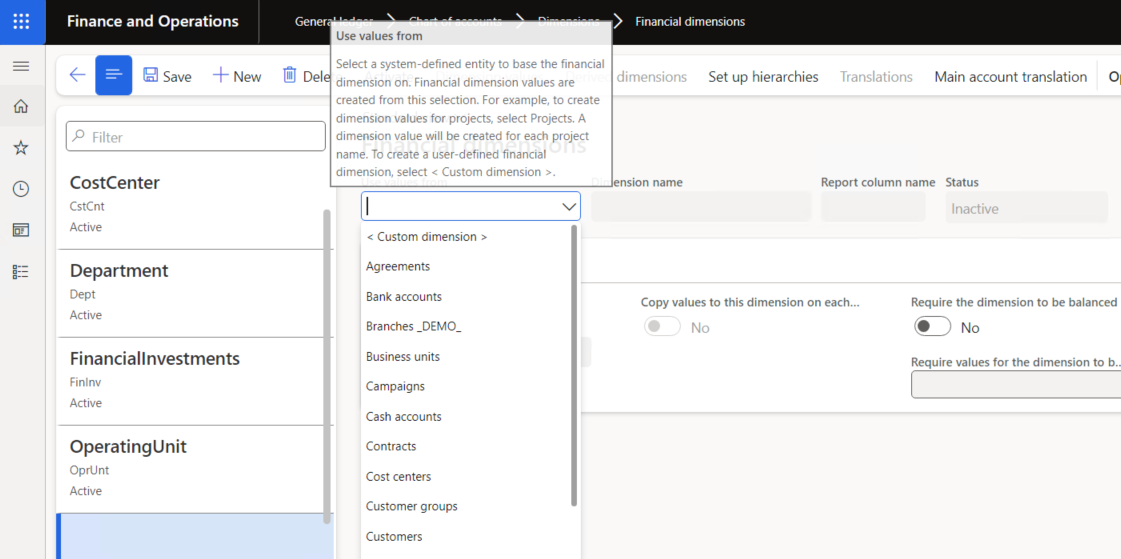
User can add values manually to Custom dimension attribute type only. For all other backing entities it should go via standard table creation, say, new CustTable record, etc.


The easiest way to create a new Custom list dimension value is to use the standard service DimensionValueService as follows. Say, you need to create a new value by using _newProjCategory record fields.

DimensionValueService dimensionValueService = new DimensionValueService();
DimensionValueContract dimensionValueContract = new DimensionValueContract();
dimensionValueContract.parmValue(_newProjCategory.Id);
dimensionValueContract.parmDimensionAttribute(myDimHelper::getProjCategoryAttribute);
dimensionValueContract.parmDescription(_newProjCategory.Name);

dimensionValueService.createDimensionValue(dimensionValueContract);

It creates the display value as its description.


Saturday, September 2, 2023

Ledger dimension vs Default dimension

 In short Ledger dimension it is Main account + default dimension.

So, if you need to replace any attribute value in a given Ledger dimension, do not forget to get a Default dimension first.

LedgerDimensionFacade::getDefaultDimensionFromLedgerDimension(ledgerjournalTrans.LedgerDimension);

Then you can use this old good way.

DimensionDefault newDim = DimensionHelper::setValueToDefaultDimension(hcmEmployment.DefaultDimension, DimensionAttribute::findByName(_dimensionName).RecId, _dimensionValue);
        

BTW, the opposite thing works like that:

LedgerDimensionFacade::serviceCreateLedgerDimension(ledgerDimensionMainAccount, inventTrans.defaultDimension);
Supporting method
public static DimensionDefault setValueToDefaultDimension(DimensionDefault _dimensionDefault, RefRecId _dimensionAttributeRecId, DimensionValue  _newDimensionValue)
    {
        DimensionAttributeValueSetStorage   dimStorage;
        DimensionDefault                    newDimensionDefault = _dimensionDefault;
        DimensionAttributeValue             dimensionAttributeValue;
        if (_dimensionAttributeRecId)
        {
            dimStorage = DimensionAttributeValueSetStorage::find(_dimensionDefault);
            if (_newDimensionValue)
            {
                dimensionAttributeValue = DimensionAttributeValue::findByDimensionAttributeAndValue(DimensionAttribute::find(_dimensionAttributeRecId), _newDimensionValue, false, true);
                dimStorage.addItem(dimensionAttributeValue);
            }
            else
            {
                dimStorage.removeDimensionAttribute(_dimensionAttributeRecId);
            }
            newDimensionDefault = dimStorage.save();
        }
        return newDimensionDefault;
    }

Bigger usage example

        // replace TransactionType to the one from parameters
        // first we need to get main account and default dimension from the originl transaction ledger dimension 
        mainAccountRecId = LedgerDimensionFacade::getMainAccountRecIdFromLedgerDimension(_ledgerJournalTransOrig.LedgerDimension);
        dimensionDefault = LedgerDimensionFacade::getDefaultDimensionFromLedgerDimension(_ledgerJournalTransOrig.LedgerDimension);
        // then replace this attribute with a new value
        dimensionDefault = myDimValueHelper::setDefaultDimensionValue(dimensionDefault, myDimensionConstants::TransactionType, LedgerParameters::find().myGLDimInvTransSale);
        // get default dimension for main account
        ledgerDimensionMainAccount = LedgerDefaultAccountHelper::getDefaultAccountFromMainAccountRecId(mainAccountRecId);
        // finally combine it with original main account to get a new ledger dimension
        ledgerJournalTrans.OffsetLedgerDimension  = LedgerDimensionFacade::serviceCreateLedgerDimension(ledgerDimensionMainAccount, dimensionDefault);
        ledgerJournalTrans.modifiedField(fieldNum(LedgerJournalTrans, OffsetLedgerDimension));

 https://alexvoy.blogspot.com/2015/10/how-to-lookup-and-set-new-value-for.html

Thanks Sasha Nazarov and Ievgen Miroshnikov and Denis Trunin

Friday, August 4, 2023

How to select\unselect all records in a form grid

 While adding standard command button you can opt for SelectAll to mark all records in a form grid. However, there is no such a command for the opposite - unselect all records.


You can easily achieve it by using the following method and two usual button form controls.

[Form]
public class myForm extends FormRun
{
    public void selectAll(boolean _select)
    {
        VendPaymFormat_DS.markAllLoadedRecords(_select);
    }

    [Control("Button")]
    class FormButtonControlSelectAll
    {
        public void clicked()
        {
            element.selectAll(true);
            super();
        }
    }

    [Control("Button")]
    class FormButtonControlUnSelectAll
    {
        public void clicked()
        {
            element.selectAll(false);
            super();
        }
    }
}