This error is really annoying bug in VS2015 when you barely touch your code, and the VS crashes all the time.
Thanks Joris, there is a workaround in VS Options:

Thanks Joris, there is a workaround in VS Options:

public boolean validateField(FieldId _fieldIdToCheck)
{
    boolean ret;

    ret = super(_fieldIdToCheck);
    switch(_fieldIdToCheck)
    {
        case fieldNum(MySalesLine, Discount):
            if(this.Discount <= 10)
            {
               ret = true;
            }
            else
            {
                ret = checkFailed("Discount cannot be more than 10%");
            }
            break;
    }

    return ret;

[Form]
[DataSource]
     [DataField]
            public boolean validate()
    [Table]
     public boolean validateField(FieldId _fieldIdToCheck)


public static DimensionDefault setValueToDefaultDimension(DimensionDefault _dimensionDefault, RefRecId _dimensionAttributeRecId, DimensionValue  _newDimensionValue)
    {
        DimensionAttributeValueSetStorage   dimStorage;
        DimensionDefault                    newDimensionDefault = _dimensionDefault;
        DimensionAttributeValue             dimensionAttributeValue;
        if (_dimensionAttributeRecId)
        {
            dimStorage = DimensionAttributeValueSetStorage::find(_dimensionDefault);
            if (_newDimensionValue)
            {
                dimensionAttributeValue = DimensionAttributeValue::findByDimensionAttributeAndValue(DimensionAttribute::find(_dimensionAttributeRecId), _newDimensionValue, false, true);
                dimStorage.addItem(dimensionAttributeValue);
            }
            else
            {
                dimStorage.removeDimensionAttribute(_dimensionAttributeRecId);
            }
            newDimensionDefault = dimStorage.save();
        }
        return newDimensionDefault;
    }
static void setNewFinDimValueForEmployee(HcmWorkerRecId _worker, CompanyInfoRecId _legalEntity, Name _dimensionName, DimensionValue _dimensionValue)
    {
        HcmEmployment hcmEmployment = HcmEmployment::findByWorkerLegalEntity(_worker, _legalEntity);
        ttsbegin;
        hcmEmployment.selectForUpdate(true);
        hcmEmployment.validTimeStateUpdateMode(ValidTimeStateUpdate::Correction);
        DimensionDefault newDim = DimensionHelper::setValueToDefaultDimension(hcmEmployment.DefaultDimension, DimensionAttribute::findByName(_dimensionName).RecId, _dimensionValue);
        hcmEmployment.DefaultDimension = newDim;
        if(hcmEmployment.validateWrite())
        {
            hcmEmployment.update();
        }
        ttscommit;
    }


public static void main(Args _args)
    {
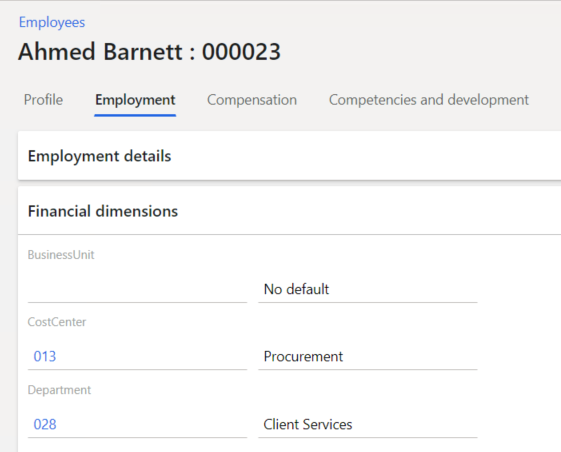
        HcmWorkerRecId              _worker         = 22565420995; //Ahmed Barnett
        CompanyInfoRecId            _legalEntity    = 22565422580; //USMF
        Name                        _dimensionName  = 'Department';
        DimensionValue              _dimensionValue = '028'; //Currently 026
        DimensionHelper::setNewFinDimValueForEmployee(_worker, _legalEntity, _dimensionName, _dimensionValue);
        Info(strFmt("Employee fin dim value changed!"));
    }


[ExtensionOf(formStr(SysPolicyParameters))]
final public class mySysPolicyParametersForm_Extension
{
    public void populateTree()
    {
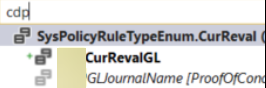
        DictEnum          policyRuleTypeEnum;
        int               i;
        policyRuleTypeEnum = new DictEnum(enumNum(SysPolicyRuleTypeEnum));


        for(i = 0; i < policyRuleTypeEnum.values(); i++)
        {
            str sym = policyRuleTypeEnum.value2Symbol(i);
            info(strFmt("%1 %2 %3", i, policyRuleTypeEnum.value2Name(i), sym));
        }


        next populateTree();
    }
}


int active()
        {

            #SysSystemDefinedButtons

            ret = super();

         < ... >
            FormCommandButtonControl editButton = element.control(element.controlId(#SystemDefinedViewEditButton)) as FormCommandButtonControl;
            editButton.enabled(name_ds.allowEdit());

            return ret;
        }


 Posts
All Comments




